Basic to Advanced Electronics Repair Kit: Complete Tools Guide
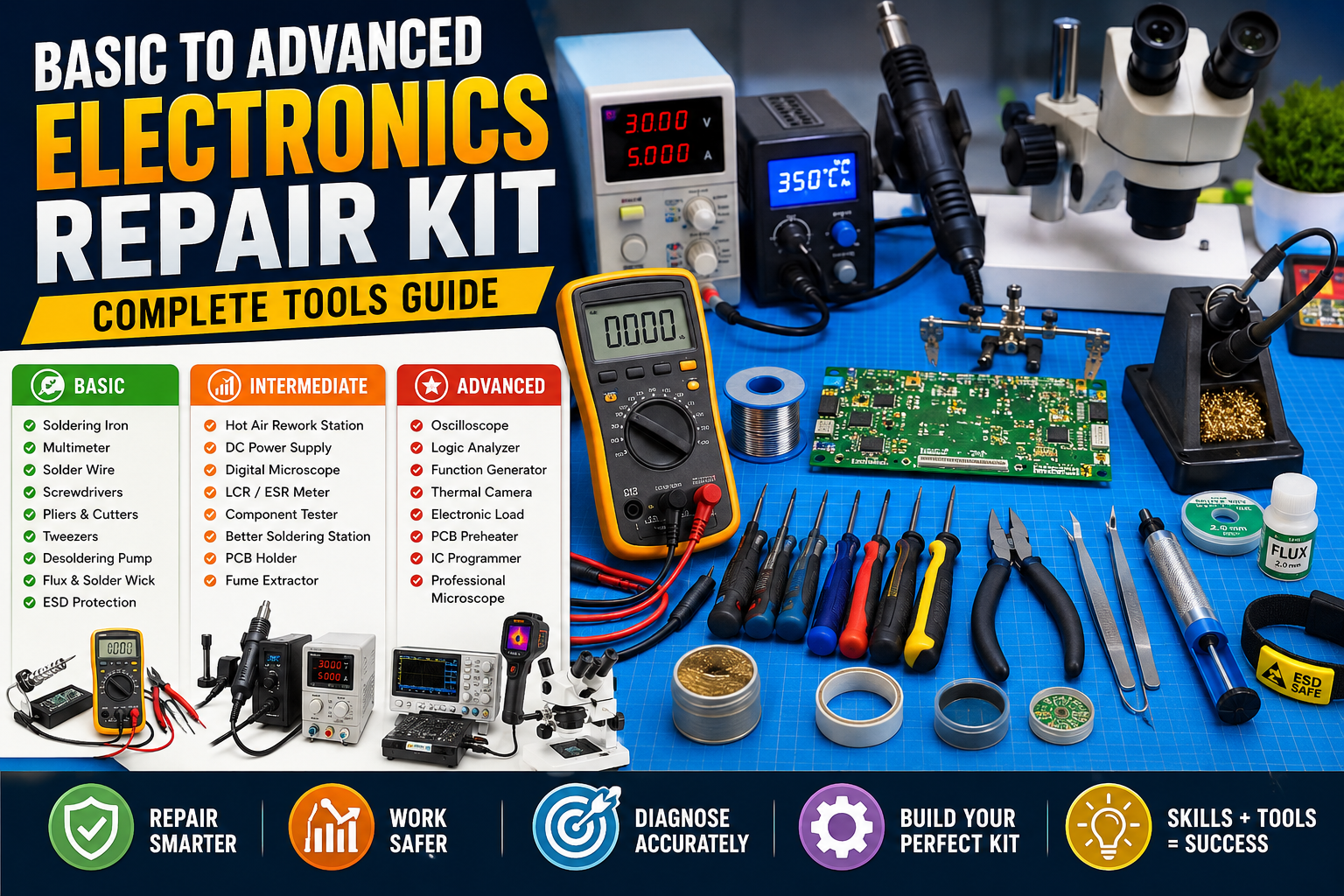
Electronics repair is a practical skill that can start with a few basic hand tools and gradually develop into a professional workstation.
Whether you want to repair chargers, power supplies, LED lights, audio equipment, circuit boards, Arduino projects or other electronic devices,
having the right tools makes troubleshooting faster, safer and more accurate.
In this guide, we will explore the basic to advanced electronics repair kit,
explain what each tool does and show how you can gradually build a professional electronics repair workstation.
1. Basic Electronics Repair Tools
If you are just starting electronics repair, you don’t need an expensive laboratory setup.
Start with the essential tools and upgrade your equipment as your skills improve.
🔧 Screwdriver Set
A good precision screwdriver set is one of the first tools you should buy.
- Phillips screwdrivers
- Flat-head screwdrivers
- Torx screwdrivers
- Precision screwdrivers
- Hex keys
- Small nut drivers
A magnetic precision screwdriver set is particularly useful when working with small electronic devices.
🔥 Soldering Iron
A soldering iron is one of the most important tools in electronics repair.
A temperature-controlled soldering iron is preferable to a basic fixed-temperature model.
- Adjustable temperature
- Replaceable tips
- Good heat recovery
- Fine tips for PCB work
- Comfortable handle
For beginners, a 50–70 W temperature-controlled soldering station
is a practical starting point.
🧵 Solder Wire
Good-quality solder makes repair work much easier.
Common options include leaded and lead-free solder.
Thin solder wire is generally convenient for PCB repair because electronic components are often very small.
🧪 Flux
Flux helps solder flow properly and improves solder joints.
- Repairing old solder joints
- Soldering small components
- Removing oxidation
- Working with SMD components
🛠️ Desoldering Pump
A desoldering pump, commonly called a solder sucker, is useful for removing molten solder
from through-hole components.
- Resistors
- Capacitors
- Diodes
- Connectors
- Switches
🧶 Desoldering Wick
Desoldering braid removes excess solder from PCB pads and is particularly useful for SMD repair
and removing solder bridges.
2. Digital Multimeter – The Most Important Testing Tool
A digital multimeter is arguably the most important measurement instrument
for electronics repair.
- DC voltage measurement
- AC voltage measurement
- Resistance measurement
- Continuity testing
- Diode testing
- Current measurement
- Capacitance measurement
What Can You Test With a Multimeter?
- Broken wires
- Short circuits
- Fuses
- Diodes
- Resistors
- Capacitors
- Power supplies
- Batteries
- Switches
- PCB tracks
Learn to use your multimeter properly before purchasing expensive test equipment.
A skilled technician can solve many problems using a good multimeter and basic tools.
3. Cutting and Holding Tools
✂️ Side Cutter
Used for cutting component leads, wires and cable ties.
Choose a small precision side cutter for PCB work.
🔩 Long-Nose Pliers
Useful for:
- Holding components
- Bending component leads
- Working in narrow spaces
- Handling wires
🔬 Tweezers
Tweezers become extremely important when working with SMD components.
- Straight tweezers
- Curved tweezers
- Fine-point tweezers
- ESD-safe tweezers
4. ESD Protection
Static electricity can damage sensitive electronic components without producing visible damage.
A professional electronics workstation should therefore include ESD protection.
- ESD wrist strap
- ESD mat
- ESD-safe tweezers
- ESD-safe tools
- Proper grounding
ESD protection is particularly important when working with:
- Microcontrollers
- RAM
- CPUs
- Mobile phone boards
- Computer motherboards
- ICs
- MOSFETs
5. PCB Inspection Tools
🔍 Magnifying Glass
A magnifying glass can help identify:
- Cracked solder joints
- Damaged tracks
- Burn marks
- Corrosion
- Small components
💡 Magnifying Lamp
A magnifying lamp provides illumination and magnification while keeping both hands free.
🔬 Digital Microscope
For advanced SMD repair, a digital microscope can make PCB inspection much easier.
- SMD resistors
- Capacitors
- IC pins
- Solder bridges
- PCB tracks
- Cracks
- Corrosion
6. Advanced Soldering Equipment
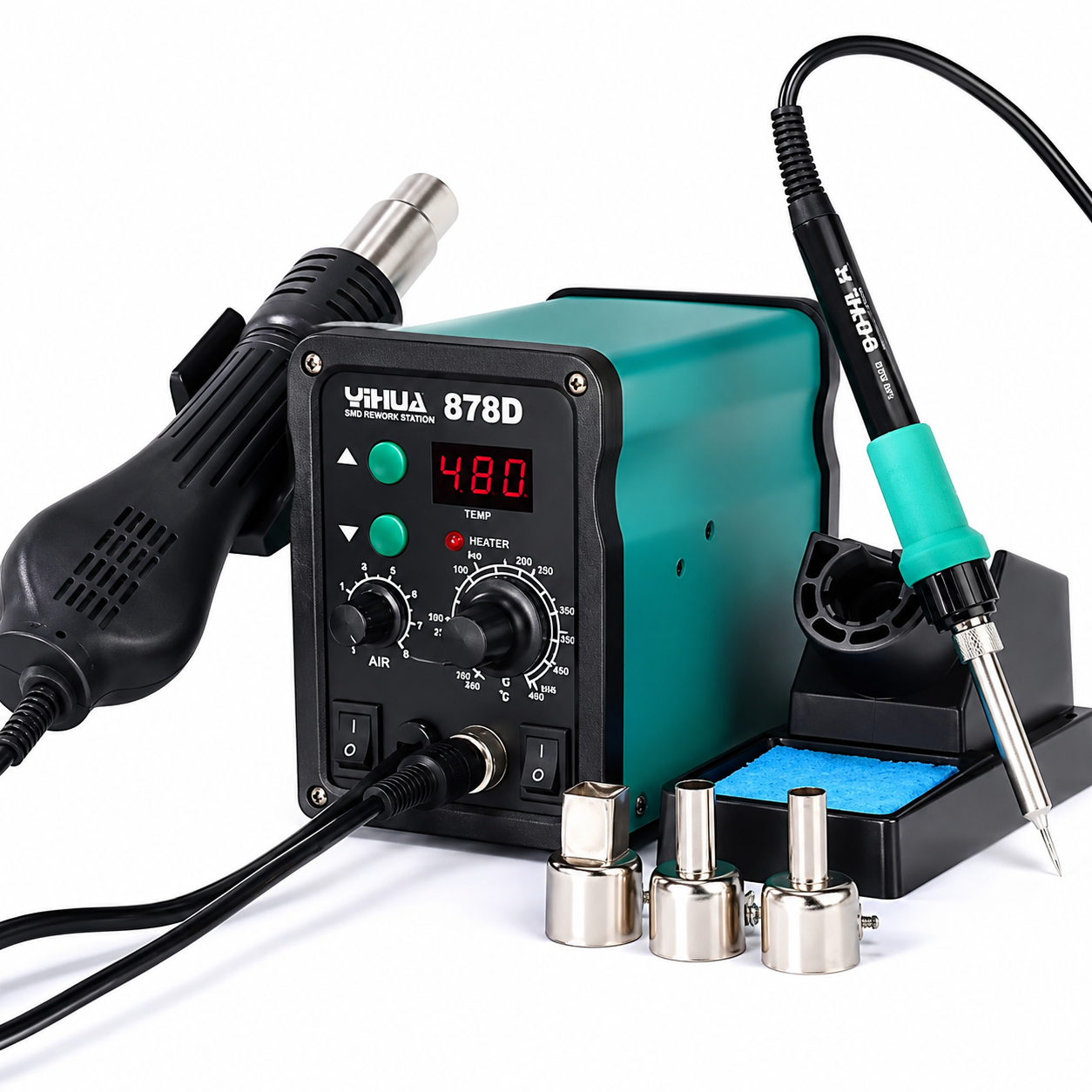
🌬️ Hot Air Rework Station
A hot air station is useful for removing and installing SMD components.
- SMD resistors
- Capacitors
- Diodes
- Connectors
- ICs
- MOSFETs
Choose a model with adjustable temperature and airflow.
🔥 Professional Soldering Station
Features worth considering include:
- Digital temperature display
- Adjustable temperature
- Replaceable tips
- Fast heating
- Sleep mode
- ESD protection
♨️ PCB Preheater
A PCB preheater warms the board before difficult soldering or rework operations.
It can be particularly useful for large PCBs and boards with large ground planes.
7. DC Bench Power Supply
A variable DC bench power supply is extremely useful for advanced electronics troubleshooting.
Instead of repeatedly using batteries or fixed adapters, you can provide controlled voltage to a circuit.
- Adjustable voltage
- Adjustable current limit
- Digital display
- Short-circuit protection
- Current monitoring
For many general electronics projects, a 0–30 V adjustable bench power supply
is a useful addition to the workbench.
Why Current Limiting Matters
If a circuit has a short circuit, a current-limited bench supply can help prevent excessive current
from damaging the board. It can also help identify abnormal current consumption.
8. Oscilloscope
An oscilloscope becomes valuable when a multimeter is no longer enough.
A multimeter measures voltage or resistance, while an oscilloscope allows you to observe how
a signal changes over time.
An oscilloscope can help diagnose:
- Clock signals
- PWM signals
- Audio signals
- Oscillators
- Power supply ripple
- Communication signals
- Switching circuits
- Microcontroller signals
9. Logic Analyzer
A logic analyzer is useful for troubleshooting digital communication and microcontroller projects.
- UART
- I²C
- SPI
- GPIO signals
- Digital clocks
It can be especially useful when working with Arduino, ESP32, STM32 and other microcontroller platforms.
10. Component Testing Tools
📏 LCR Meter
Useful for measuring:
- Inductance
- Capacitance
- Resistance
⚡ ESR Meter
An ESR meter is useful for checking electrolytic capacitors,
particularly when troubleshooting power supplies.
🔌 Transistor Tester
Many component testers can quickly identify and test common components such as:
- Transistors
- Diodes
- MOSFETs
- Capacitors
- Resistors
11. SMD Repair Accessories
For serious PCB repair, keep a dedicated SMD toolkit containing:
- Fine soldering tips
- Fine tweezers
- Flux pen
- Solder paste
- Solder wick
- Fine solder wire
- Hot-air nozzles
- PCB holder
- Kapton tape
- Solder paste applicator
12. PCB Holder and Workstation Accessories
A PCB holder keeps the board stable while you work.
A well-organized workstation can significantly improve repair efficiency.
- Adjustable PCB vise
- Silicone work mat
- Component storage boxes
- Small parts trays
- Magnetic screw tray
- Good LED lighting
- Fume extractor
- Cleaning brushes
13. Cleaning Equipment
Electronic boards can accumulate dust, oil, flux residue and dirt.
- Soft anti-static brush
- Isopropyl alcohol
- Cotton swabs
- PCB cleaning brush
- Suitable air blower
Always check that the cleaning method is suitable for the board and components,
and allow appropriate drying before applying power.
14. Advanced Diagnostic Equipment
Professional repair businesses may eventually consider:
- Advanced oscilloscope
- Function generator
- Electronic load
- Frequency counter
- Thermal camera
- IC programmers
- Debuggers
- Isolation transformer
- Professional hot-air rework station
- PCB preheater
- Professional microscope
🌡️ Thermal Camera
A thermal camera can help locate abnormal heating on electronic boards.
- Shorted components
- Overheating ICs
- Faulty MOSFETs
- Hot regulators
- Abnormal power consumption areas
15. IC Programmers and Debuggers
If you work with microcontrollers or memory devices, programming equipment may become necessary.
Depending on your work, you may need programmers or debuggers for:
- AVR
- PIC
- STM32
- ESP devices
- EEPROM
- Flash memory
The correct programmer depends on the specific chip and repair application.
16. Safety Equipment
Electronics repair is not just about having tools. Safety equipment is equally important.
- Safety glasses
- Fume extraction
- Heat-resistant work surface
- Appropriate insulated tools
- Suitable fire extinguisher
- Proper electrical isolation equipment
⚠️ Important Electrical Safety Warning
Never assume that an electronic device is safe simply because it is switched off.
Some equipment can contain capacitors that retain dangerous voltage after power is disconnected.
Extra caution is required when working with:
- Mains-powered equipment
- CRT equipment
- High-voltage circuits
- SMPS power supplies
- Microwave equipment
- Inverters
- Large capacitors
If you are inexperienced with high-voltage electronics, do not work on energized circuits.
17. Recommended Electronics Repair Kit by Level
🟢 Beginner Electronics Repair Kit
- Digital multimeter
- Temperature-controlled soldering iron
- Solder wire
- Flux
- Desoldering pump
- Desoldering wick
- Screwdriver set
- Side cutter
- Long-nose pliers
- Tweezers
- Magnifying glass
- PCB holder
- ESD wrist strap
- Cleaning brush
🟠 Intermediate Electronics Repair Kit
- Better soldering station
- Hot air rework station
- DC bench power supply
- Digital microscope
- LCR meter
- ESR meter
- Component tester
- Improved ESD workstation
- Fume extractor
🔴 Advanced / Professional Repair Kit
- High-quality oscilloscope
- Logic analyzer
- Function generator
- Electronic load
- Thermal camera
- PCB preheater
- Professional hot-air station
- Professional microscope
- IC programmers
- Specialized diagnostic equipment
18. Electronics Repair Tools Comparison
| Tool | Beginner | Intermediate | Advanced |
|---|---|---|---|
| Multimeter | Essential | Essential | Essential |
| Soldering Station | Recommended | Essential | Professional |
| Hot Air Station | Optional | Recommended | Essential |
| Bench Power Supply | Optional | Recommended | Essential |
| Digital Microscope | Optional | Recommended | Essential |
| Oscilloscope | Not necessary | Useful | Essential |
| Logic Analyzer | Not necessary | Optional | Useful |
| Thermal Camera | Not necessary | Optional | Advanced |
19. Don’t Buy Everything at Once
One of the biggest mistakes beginners make is purchasing expensive equipment before learning
how to diagnose circuits.
A better approach is to build your electronics repair kit gradually:
Stage 1 – Start Simple
Multimeter + soldering tools + basic hand tools + ESD protection.
Stage 2 – Improve PCB Repair
Better soldering station + hot air rework station.
Stage 3 – Build a Proper Workbench
Bench power supply + microscope + component testers.
Stage 4 – Advanced Troubleshooting
Oscilloscope + logic analyzer + function generator.
Stage 5 – Professional Repair
Thermal camera + PCB preheater + programmers + specialized diagnostic equipment.
Buy equipment according to the type of repair work you actually perform.
There is no need to purchase an expensive oscilloscope or thermal camera if you are still learning basic soldering and multimeter testing.
20. Final Thoughts
A good electronics repair workstation doesn’t need to be expensive from day one.
The most important investment is learning how electronic circuits work and developing systematic troubleshooting skills.
Start with a good multimeter, soldering station, basic hand tools and ESD protection.
Once you become comfortable diagnosing circuits, gradually add a hot-air station,
bench power supply, microscope and oscilloscope.
The right combination of knowledge + tools + safe working practices
is much more valuable than simply owning expensive equipment.
Whether your goal is repairing household electronics, power supplies, Arduino projects,
computer boards or professional PCBs, building your toolkit step by step is the most practical
way to get started.