Google Tools Every Business Owner Should Use to Grow Their Business
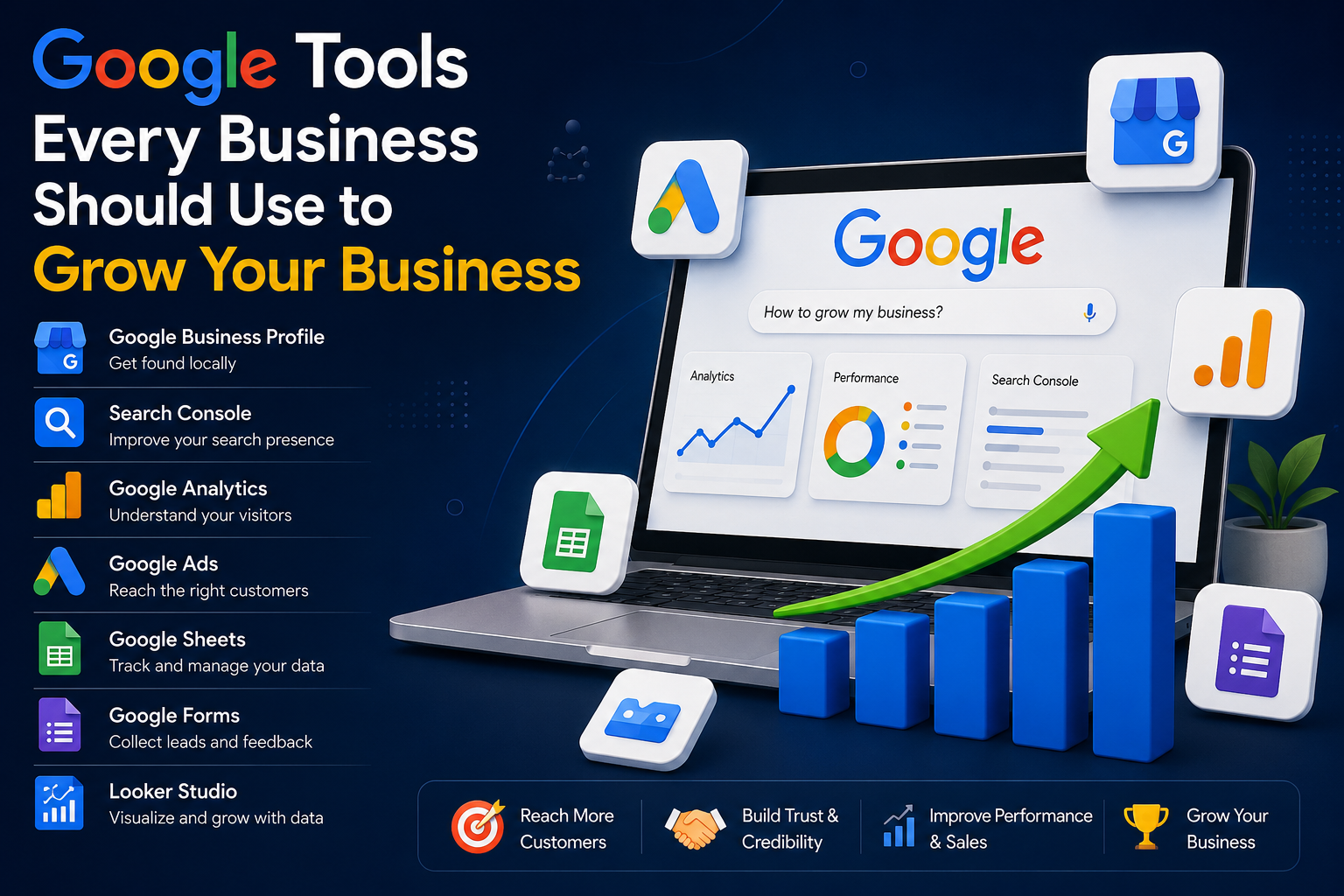
Running a business today is not only about having a good product or service. You also need to make sure that people can find your business, understand what you offer, trust your brand, and eventually become customers.
The good news is that Google provides several powerful tools that businesses can use to improve their online presence, understand customers, attract visitors, and increase sales.
Here are some of the most useful Google tools that every small business owner should know about.
1. Google Business Profile
If you have a local business, Google Business Profile should be one of the first tools you set up.
It allows your business to appear on Google Search and Google Maps when people search for your products or services.
You can add:
- Business name
- Address
- Phone number
- Website
- Opening hours
- Photos
- Products and services
- Customer reviews
- Updates and offers
For example, if you run a photography business in your city, someone searching for “photographer near me” may discover your business through Google.
Why it is useful
A properly maintained Business Profile can help you:
- Get discovered by local customers
- Receive phone calls
- Get directions
- Increase website visits
- Collect customer reviews
- Build trust
For local businesses, this is one of the most important free Google tools.
2. Google Search Console
Google Search Console helps website owners understand how their website performs in Google Search.
You can see information such as:
- How many people found your website through Google
- Which keywords people searched
- Which pages receive the most clicks
- Your website’s search impressions
- Search ranking performance
- Indexing problems
- Mobile usability issues
For example, you may discover that people are finding your website by searching for “best PVC card printing near me”.
That information can help you create more content around topics your customers are actually searching for.
3. Google Analytics
Google Analytics helps you understand what visitors do after they arrive on your website.
You can learn:
- How many people visit your website
- Where visitors come from
- Which pages they visit
- How long they interact with your website
- Which marketing channels bring visitors
- What actions visitors take
For example, suppose you receive 10,000 visitors in a month but only 20 people contact you.
That tells you that getting traffic is not the only problem. You may also need to improve your website design, pricing, product presentation, or call-to-action.
4. Google Ads
Google Ads allows businesses to advertise when people are actively searching for products and services.
For example, someone searches:
“wedding photographer in Bangalore”
A photography business can potentially show an advertisement to that person.
Google Ads can be useful for:
- Getting immediate website traffic
- Generating leads
- Promoting products
- Getting phone calls
- Promoting local services
- Increasing online sales
However, advertising should be done carefully. Spending money on ads without understanding keywords, targeting, conversions, and customer behavior can waste your budget.
5. Google Keyword Planner
If you want to create content or run Google Ads, Keyword Planner can help you discover what people are searching for.
You can research keywords related to your business and identify potential search terms.
For example, a printing business might research:
- PVC card printing
- ID card printing
- custom sticker printing
- visiting card printing
- photo printing near me
This can give you ideas for both advertising campaigns and website content.
6. Google Trends
Google Trends is useful for discovering what people are searching for and how interest changes over time.
You can compare different search terms and identify growing topics.
For example, if you sell seasonal products, Google Trends can help you understand when interest starts increasing.
Businesses can use this information to plan:
- Blog posts
- Products
- Marketing campaigns
- Seasonal offers
- Social media content
Instead of guessing what customers are interested in, you can use search trends as an additional source of information.
7. Google Merchant Center
If you sell physical products online, Google Merchant Center can be extremely useful.
It allows businesses to provide Google with information about their products, such as:
- Product name
- Price
- Image
- Availability
- Description
- Website link
Eligible products can appear across Google’s shopping experiences.
For an online store, this can create another opportunity for potential customers to discover products.
8. Google Tag Manager
Google Tag Manager is a more advanced tool, but it can be extremely useful for businesses with websites.
It allows you to manage tracking codes and marketing tags without repeatedly editing the website’s code.
For example, businesses can use it to manage tracking related to:
- Google Analytics
- Google Ads conversions
- Marketing platforms
- Button clicks
- Form submissions
It becomes particularly useful when your website starts using multiple marketing and analytics tools.
9. Google Forms
Google Forms is a simple but powerful tool for collecting information.
A business can use it for:
- Customer enquiries
- Feedback
- Surveys
- Order requests
- Registration forms
- Lead collection
- Event registrations
For a small business, you don’t always need an expensive customer management system for basic data collection.
10. Google Sheets
Google Sheets can become a simple business management system.
You can use it to track:
- Customers
- Leads
- Orders
- Expenses
- Sales
- Inventory
- Marketing campaigns
- Monthly revenue
Because it is cloud-based, you can also access your information from different devices and collaborate with other people.
11. Google Looker Studio
Once your business starts collecting data from different sources, Looker Studio can help turn that information into visual reports and dashboards.
You can create dashboards showing things such as:
- Website traffic
- Advertising performance
- Sales
- Leads
- Customer acquisition
- Marketing results
Instead of looking through multiple spreadsheets and reports, you can create a visual overview of your business performance.
12. Google Sites
If you need a simple website and don’t want to start with a complicated website platform, Google Sites can be useful for basic projects.
It can be used to create simple:
- Business websites
- Portfolio pages
- Information pages
- Internal team pages
- Project websites
For a professional business website, however, you may eventually want more control over design, SEO, ecommerce, and functionality.
How These Google Tools Work Together
The real power comes from using these tools together rather than treating them as separate services.
For example:
Google Business Profile → Google Search → Website → Google Analytics → Customer enquiry → Sales
You could also use:
Keyword Planner → Content creation → Google Search Console → Organic traffic → Customers
And for paid marketing:
Google Ads → Landing page → Conversion tracking → Analytics → Optimization
This creates a complete marketing system.
A Simple Google Strategy for a Small Business
If you are just starting, don’t try to use every Google tool immediately.
Start with these five:
Step 1: Create a Google Business Profile
Make sure your business information, photos, services, website and contact details are accurate.
Step 2: Set up Google Search Console
Connect your website and start monitoring your search performance.
Step 3: Set up Google Analytics
Understand where your visitors come from and what they do on your website.
Step 4: Research Keywords
Use Keyword Planner and Google Trends to understand what potential customers are searching for.
Step 5: Start Advertising Carefully
Once your website and conversion tracking are ready, consider Google Ads and start with a controlled budget.
The Biggest Mistake Businesses Make
One of the biggest mistakes is thinking that more traffic automatically means more sales.
It doesn’t.
A successful online business needs several things working together:
Visibility + Trust + Good Website + Useful Content + Good Offer + Easy Contact + Conversion Tracking
Google tools can help you understand and improve many of these areas.
Final Thoughts
You don’t need a huge company or a massive marketing budget to start using Google’s business tools.
A small local business can use Google Business Profile to attract nearby customers, Search Console to improve its visibility, Analytics to understand visitors, Keyword Planner to discover search opportunities, Google Ads to generate targeted traffic, and Sheets or Looker Studio to organize and analyze business data.
The important thing is not simply to create accounts for every tool.
Use the data to make better business decisions.
Start with a few tools, learn how they work, measure your results, and gradually build your digital marketing system.
In today’s competitive market, businesses that understand how customers search, discover and interact with their brand have a major advantage.