Are Mobile Phones, Laptops and Tablets Emitting Harmful Rays? A Complete Guide to Screen Radiation
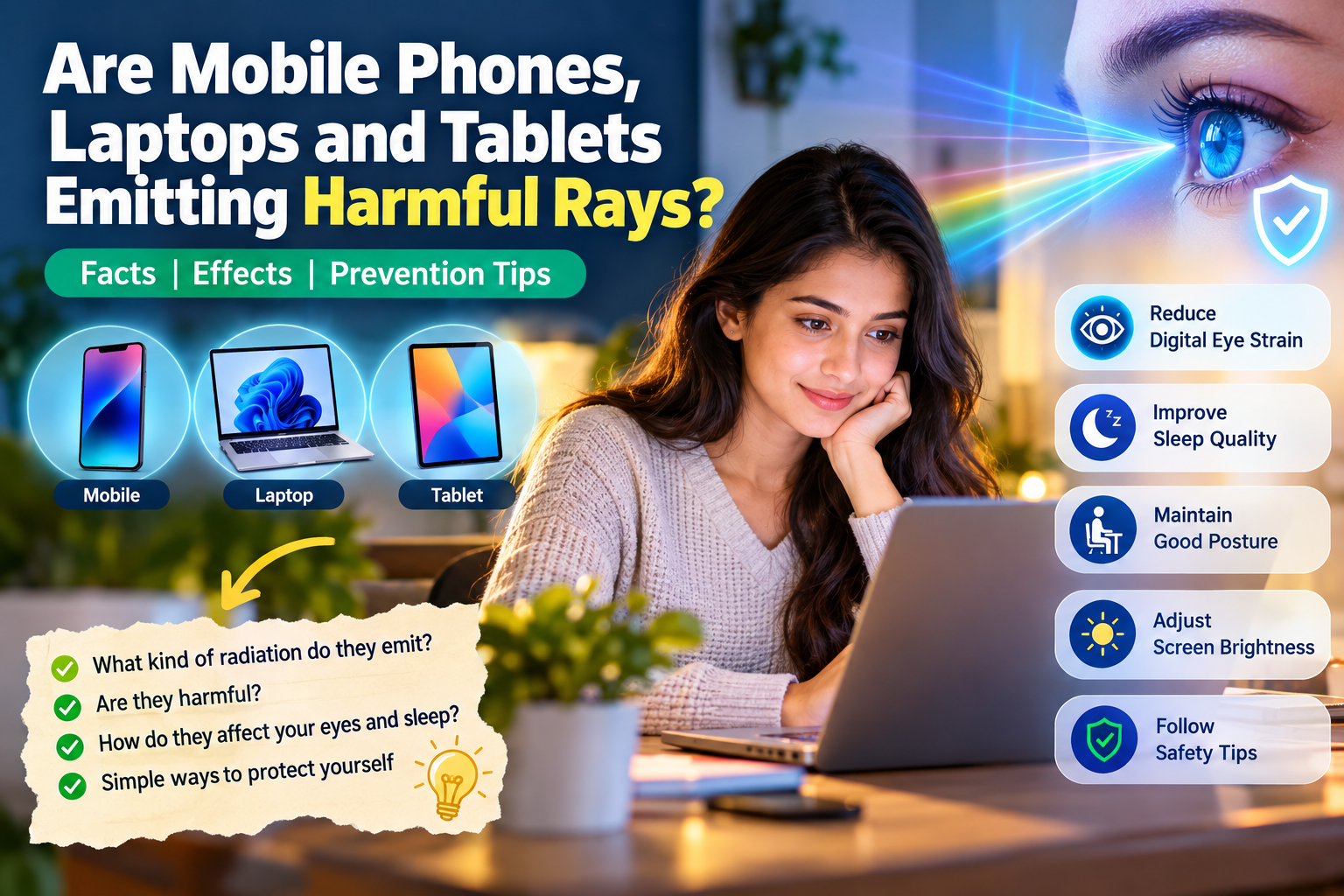
Mobile phones, laptops and tablets do emit different forms of
electromagnetic energy and visible light. However, not all
radiation is dangerous. Current evidence does not establish that
normal use of modern electronic screens causes permanent eye
damage because of their emitted radiation.
The more common problems associated with prolonged screen use are
digital eye strain, dry eyes, headaches, poor posture and sleep
disruption.
1. What Does “Radiation” From Electronic Devices Mean?
The word radiation can sound frightening, but
radiation simply means energy traveling through space.
There are many different types of electromagnetic radiation.
Some types, such as X-rays and gamma rays, are
ionizing radiation and have enough energy to
damage biological tissue under sufficient exposure.
Mobile phones, Wi-Fi devices, Bluetooth equipment and ordinary
computer displays involve mainly non-ionizing radiation
and visible light.
☀️ Visible Light
Screens produce visible light that allows us to see
images and text. This includes different wavelengths,
including blue light.
📶 Radiofrequency Energy
Mobile phones, Wi-Fi and Bluetooth use radiofrequency
electromagnetic waves to communicate.
2. Does the Screen Itself Produce Dangerous Radiation?
Modern smartphones, tablets and LCD/LED computer monitors
primarily produce visible light through their displays.
Wireless communication, on the other hand, comes from
components such as cellular, Wi-Fi and Bluetooth radios.
It is misleading to describe the light coming from an ordinary
phone or laptop display as if it were X-ray radiation.
These are fundamentally different forms of electromagnetic
energy.
3. What Is Blue Light?
Blue light is a part of the visible-light spectrum. It is not
something created exclusively by phones or computers.
Sunlight is also a major natural source of blue light.
Current evidence does not establish that ordinary blue-light
exposure from digital screens causes retinal damage or
age-related macular degeneration.
However, blue-rich light can influence the body’s circadian
rhythm, which is why screen use at night can affect sleep.
4. Can Screens Affect Sleep?
Yes. Bright light in the evening can influence the body’s
biological clock. Blue wavelengths are particularly relevant
to this process.
However, the problem is not necessarily blue light alone.
Watching videos, gaming, social media and receiving notifications
can also keep the brain alert and delay bedtime.
Reduce screen brightness in the evening and consider limiting
recreational screen use before going to bed.
5. The Bigger Everyday Problem: Digital Eye Strain
For people who spend several hours every day using computers,
phones or tablets, digital eye strain is generally a much more
practical concern than screen radiation.
👁️ Common Eye Symptoms
- Dry eyes
- Burning or irritation
- Temporary blurred vision
- Watery eyes
- Difficulty focusing
- Eye fatigue
🤕 Other Symptoms
- Headaches
- Neck discomfort
- Shoulder discomfort
- Difficulty concentrating
- General tiredness
6. Why Do Our Eyes Get Tired?
One important reason is that people tend to blink less when
concentrating on a screen.
Reduced blinking can allow the surface of the eye to become
drier, resulting in irritation and discomfort.
Looking at a nearby screen continuously also means that the
eyes remain focused at a relatively close distance for a long
period.
7. The 20-20-20 Rule
Try the 20-20-20 Rule
20
minutes of screen use
20
seconds of break
20
feet away
Every approximately 20 minutes, look at something around
20 feet away for at least 20 seconds.
8. How Far Should You Keep Your Screen?
Avoid holding a smartphone extremely close to your eyes for
long periods.
For computer screens, an arm’s-length distance is a useful
starting point. Adjust the position according to your comfort
and the size of the display.
Eyes → approximately an arm’s length → Screen
Try to position the display so that you are looking slightly
downward rather than constantly tilting your head upward.
9. Should Screen Brightness Be Very Low?
Not necessarily. The goal is to make the display comfortable
relative to the surrounding environment.
| Situation | Possible Problem | Better Approach |
|---|---|---|
| Very dark room + very bright screen | Glare and discomfort | Reduce brightness and use suitable room lighting |
| Bright room + very dim screen | Squinting and difficulty reading | Increase brightness to a comfortable level |
| Comfortable room lighting | Less visual discomfort | Use a comfortable screen brightness |
10. Is Dark Mode Better?
Dark mode can be comfortable for some people, especially in
low-light environments.
However, dark mode is not a radiation shield and does not block
radiofrequency energy.
Its main purpose is to change the appearance and brightness
characteristics of the user interface.
11. Do Blue-Light-Blocking Glasses Protect Your Eyes?
Blue-light-blocking glasses are widely marketed as a way to
protect the eyes from digital screens.
However, current evidence does not establish that ordinary
screen blue light damages the eyes or that special blue-light
glasses are necessary for normal computer use.
If you find blue-light-filtering glasses comfortable, you may
choose to use them. But marketing claims about preventing
screen-related eye damage should be considered carefully.
12. What About Mobile Phone RF Radiation?
Mobile phones communicate with cellular networks using
radiofrequency electromagnetic energy.
This is non-ionizing radiation. It is different
from ionizing radiation such as X-rays.
Health authorities continue to study possible long-term effects,
while current exposure guidelines are designed to limit
established biological effects such as excessive tissue heating.
13. Does Distance From the Phone Matter?
Yes. RF exposure generally decreases rapidly as distance from
the source increases.
📱 Phone Against Your Head
The phone is very close to the body during a call.
🔊 Speakerphone
Increasing the distance between your body and the phone
reduces exposure.
For long calls, using speakerphone or headphones is a simple
way to keep the phone farther away from your head.
14. Is It Safe to Sleep With Your Phone Near Your Head?
There is no established evidence that simply sleeping near a
normal mobile phone causes brain damage through its RF
emissions.
Nevertheless, keeping the phone on a table rather than directly
beside your pillow can be a useful habit.
- It reduces unnecessary wireless exposure.
- It reduces the temptation to check notifications.
- It can reduce late-night screen use.
- It may help maintain better sleep habits.
15. What About Wi-Fi Routers?
Wi-Fi routers use radiofrequency electromagnetic waves to
communicate with connected devices.
Current exposure guidelines are designed to limit established
harmful effects from RF exposure.
If you personally prefer to minimize exposure, simply placing
the router farther away from areas where you spend many hours
is a reasonable practical measure.
16. What About Laptops?
A laptop contains several components that produce different
forms of electromagnetic energy.
💻 Display
Produces visible light.
📶 Wi-Fi
Uses radiofrequency communication.
🔵 Bluetooth
Uses short-range radiofrequency communication.
⚡ Electronics
Produce low-level electrical and magnetic fields.
For long laptop sessions, ergonomics are often a more important
practical concern than radiation.
17. How to Set Up a Laptop Correctly
- Use a comfortable chair.
- Keep the screen at an appropriate distance.
- Use a laptop stand for long work sessions.
- Consider an external keyboard.
- Consider an external mouse.
- Take regular breaks.
- Keep your shoulders relaxed.
- Avoid bending your neck downward for hours.
18. What About Tablets?
Tablets have the same major considerations as smartphones and
laptops.
Their displays produce visible light while Wi-Fi and Bluetooth
components produce radiofrequency signals.
Avoid holding a tablet extremely close to your face for
extended periods and take regular visual breaks.
19. What About Children?
Children can also experience digital eye strain and sleep
disruption from excessive screen use.
Parents should focus on healthy screen habits rather than
becoming overly concerned about the word “radiation.”
Healthy Screen Habits for Children
- Take regular screen breaks.
- Maintain a comfortable viewing distance.
- Encourage outdoor activity.
- Avoid excessive recreational screen use before bed.
- Maintain a consistent sleep schedule.
- Use appropriate lighting.
20. Should You Turn Off Wi-Fi at Night?
For most people, turning off Wi-Fi at night is not medically
necessary based on current evidence.
However, you may choose to turn it off if you prefer to reduce
wireless activity or want to reduce internet access during
bedtime.
Reducing late-night phone use and notifications is generally
more relevant than worrying about radiation from a Wi-Fi router.
21. Be Careful With “EMF Protection” Products
Many products are marketed as protection against electromagnetic
radiation.
Examples include:
- EMF protection stickers
- Radiation-blocking phone cases
- Anti-radiation chips
- EMF pendants
- “5G protection” products
- Radiation protection cards
A small sticker, chip or accessory should not automatically be
assumed to eliminate electromagnetic radiation or make a device
completely “radiation free.”
22. Simple Ways to Reduce Screen-Related Problems
- Keep screens at a comfortable distance.
- Follow the 20-20-20 rule.
- Blink regularly.
- Reduce glare and reflections.
- Adjust screen brightness.
- Use Night Mode in the evening if comfortable.
- Reduce recreational screen use before sleeping.
- Use speakerphone or headphones for long calls.
- Keep phones away from your pillow.
- Maintain good posture.
- Take regular breaks during long computer sessions.
- Get your eyes checked if symptoms persist.
23. When Should You See an Eye Doctor?
Do not automatically assume that every eye problem is caused
by a screen.
Consider an eye examination if you experience:
- Persistent blurred vision
- Significant eye pain
- Frequent headaches
- Persistent dry-eye symptoms
- Double vision
- Sudden changes in vision
- Unusual light sensitivity
- Difficulty focusing
24. Frequently Asked Questions
Research into possible long-term effects of radiofrequency
exposure continues. Current health authorities do not
consider exposure within applicable safety limits to have
established harmful effects, but research continues.
Current evidence does not establish that ordinary blue-light
exposure from digital screens causes retinal damage.
Modern laptop displays primarily produce visible light.
For most users, digital eye strain and poor ergonomics are
more practical concerns than screen radiation.
They are not considered medically necessary for ordinary
screen use based on current evidence. Some people may still
find them comfortable.
Dark mode may be more comfortable in certain lighting
conditions, but it does not block electromagnetic radiation.
Increasing distance from a wireless transmitter reduces RF
exposure. Speakerphone or headphones can therefore be used
for long calls if you want to increase distance.
25. The Bottom Line
Electronic screens do emit electromagnetic energy and
visible light, but the word “radiation”
does not automatically mean dangerous radiation.
Current evidence does not establish that normal screen use
causes permanent retinal damage from blue light.
For most people, the more practical concerns are
digital eye strain, dry eyes, poor posture,
prolonged sitting and sleep disruption.
The best approach is not to panic about screen radiation.
Instead, develop healthy screen habits.
10 Simple Rules to Remember
1. 📱 Keep Distance
Avoid holding phones extremely close to your eyes.
2. 💻 Use Proper Position
Keep computer screens around an arm’s length away.
3. 👀 Take Breaks
Follow the 20-20-20 rule.
4. 💧 Blink
Remember to blink regularly during screen work.
5. 💡 Adjust Brightness
Match screen brightness to your environment.
6. 🌙 Protect Sleep
Reduce bright and stimulating screen use before bed.
7. 📶 Increase Distance
Keep wireless devices farther away when practical.
8. 🎧 Use Headphones
Consider speakerphone or headphones for long calls.
9. 🪑 Improve Ergonomics
Maintain good posture during long computer sessions.
10. 👁️ Check Your Eyes
See an eye-care professional if symptoms persist.
Medical Disclaimer:
This article is provided for general educational and
informational purposes only. It is not a substitute for
professional medical advice, diagnosis or treatment.
If you experience persistent or serious symptoms, consult
a qualified healthcare professional or eye-care specialist.
Medical & Scientific Sources
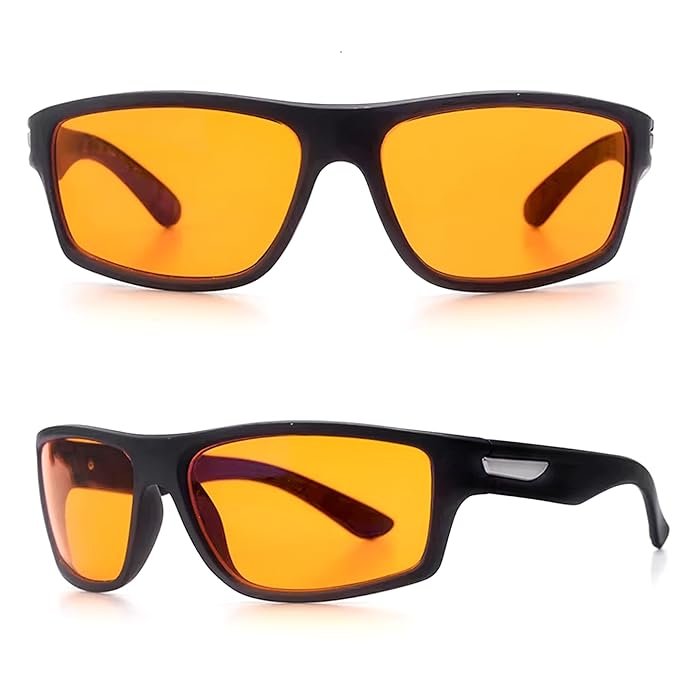
AutoStory Blue Light Blocking Glasses for Sleep – 99.9% Blue Light Filter Amber Lenses – Nighttime Glasses for Relaxation, Better Sleep & Eye Protection – Wraparound Fit for Men & Women
- Blocks 99.9% of Harmful Blue Light – Our amber-tinted lenses block blue light in the 450–510nm range—the most disruptive for sleep. Great for night use to protect your eyes and improve melatonin levels.
- Better Sleep & Faster Sleep Onset – These blue light blocking glasses help your body wind down naturally by supporting melatonin production, making it easier to fall asleep and enjoy deep rest.
- Use Screens Safely at Night – Watch TV, scroll your phone, or work on your laptop without disrupting your sleep. Perfect for night owls, gamers, readers, and shift workers.
- Wraparound Design for Full Coverage – The curved shape blocks out blue light from the sides and top, creating a personal “virtual darkness” bubble even under bright indoor lights.
- Durable & Comfortable TR90 Frames – Built with lightweight TR90 thermoplastic, our sports frames offer flexibility and long-lasting comfort for all face shapes and sizes—men, women, and teens.
- Trusted by High Performers – Used by top athletes, CEOs, and biohackers as a natural sleep aid to boost recovery, energy, and overall health through better nighttime habits.